
Getting Started

Registration/Login
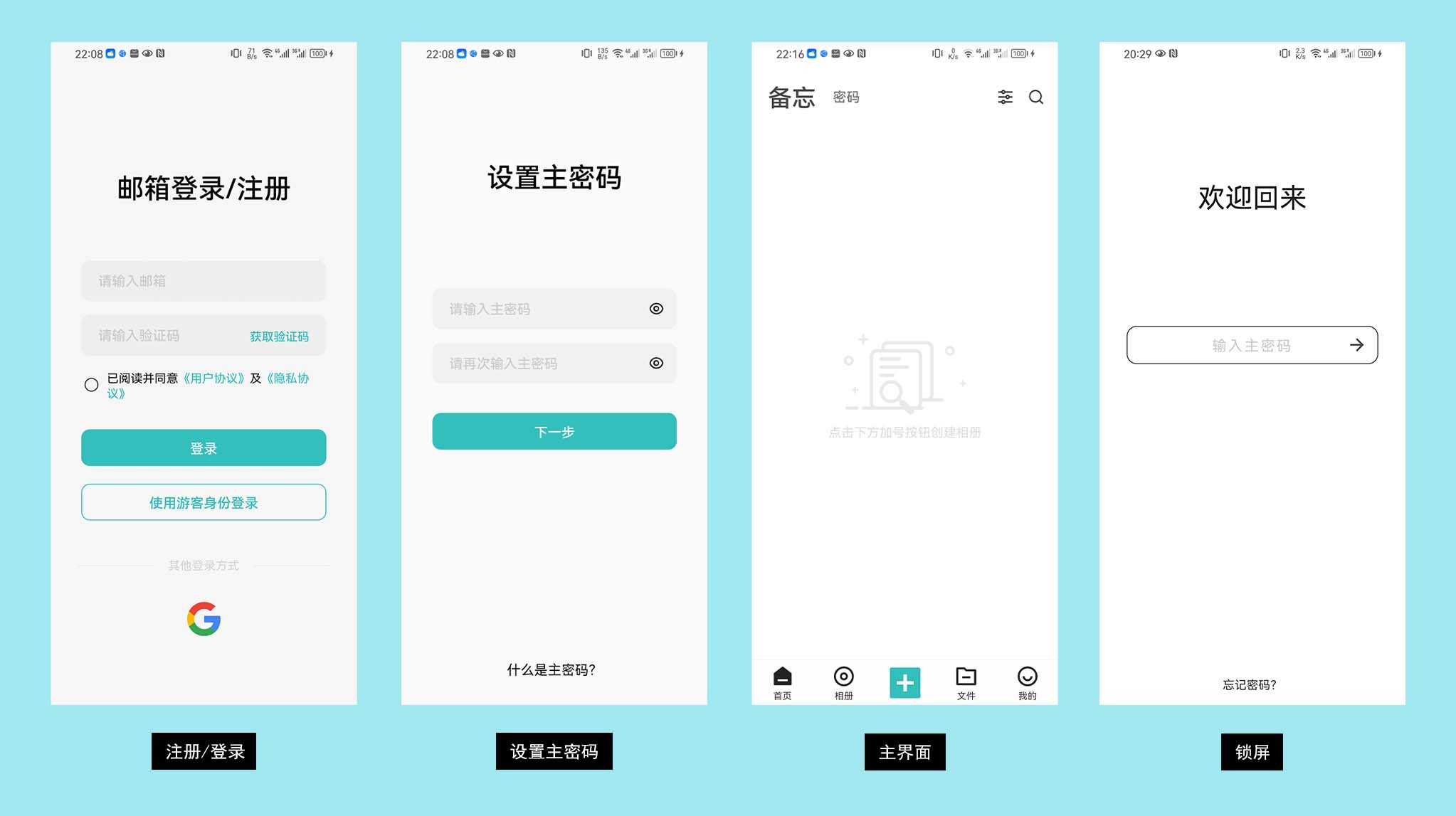
When you first run the app, the login (registration) interface will open. Meebox comes in two editions with different login methods:
- International edition: currently supports email + verification code login, and guest mode is also available;
- Chinese mainland edition: supports phone number + SMS verification code login, and guest mode is also available.
If you just want to try it out, you can choose guest mode login. However, please note that regardless of the login method, you need to be connected to the internet when logging in.
After selecting the login method, the next step is to set up the master password.
The master password is the most important password in the entire application, so please treat it with caution!
Click "Next" to complete the login process and enter the main interface.
The entire interface may appear empty because there is no data, so click the plus icon at the bottom to add your private data.
Free Usage Limitations
Meebox is free to download and use, and most of the core functions can be used. However, there are limitations in terms of quantity, as follows:
| Function | Brief Description | Usage Limitations |
|---|---|---|
| Note Function | Simple text recording function, each note can additionally add 9 images | Free |
| Password Management | Relatively comprehensive password management function, each password can additionally add 9 images | Quantity: ≤10 |
| Create Album | No limit on the number of albums, but the total images/videos inside are limited below | Free |
| Import Images | There is a limit on the total number of images in all albums | Quantity: ≤100 |
| Import Videos | There is a limit on the total number of videos in all albums and the size of a single video | Quantity: ≤50 Size: ≤100M |
| Create Folder | No limit on the number of folders, but the total files inside are limited below | Free |
| Import Files | There is a limit on the total number of files in the file manager and the size of a single file | Quantity: ≤50 Size:≤100M |
The quantity limitations in the table above are consistent with the actual limits in the current version of the app.
If users are not satisfied, they can provide feedback on the official social media accounts or user experience groups of Meebox, and the author will actively listen to everyone's opinions and adjust these values.
Gift Membership
After registering as a new user (not in guest mode), you will have a 7-day trial membership. During these 7 days, all functions of the app can be used for free. However, after the trial membership expires, if the imported data exceeds the limit (for example, if the number of images exceeds 100), you will not be able to add more.
So, when users first log in, they can try guest mode first. If they find the app satisfactory, they can register an account and log in (phone number for the Chinese mainland edition, email for the international edition), take advantage of the 7-day trial membership, and import all their data to avoid finding out that the quantity has exceeded the limit after the membership expires.
In addition to the trial membership offered when first registering, the author will also distribute free membership activation codes irregularly on various social media accounts or user experience groups.
So, come and grab some benefits!